Every deadline in your syllabi, on your calendar.
Upload a syllabus and Sylarri finds every assignment, quiz, and exam, shows you the line each one came from, and keeps your calendar in sync all term. Then it helps you study from your own notes.
Sign in with your school email. No password to remember.
Algorithms and Data Structures
CSCI 1112 · Mon/Wed/Fri 2:20–3:10 PM · SEH 1300 · Prof. Rivera
Course schedule
| Week | Topic | Due |
|---|---|---|
| 5 | Heaps and priority queues | Problem Set 4 due Wednesday, 11:59 pm |
| 5 | Heapsort | Lab 5 due Friday at 5 pm |
| 6 | Graph traversal | Midterm 1 in class on Friday |
| 7 | Fall break, then shortest paths | Project proposal due Monday |
| 8 | Minimum spanning trees | – |
Grading. Problem sets 30% (lowest dropped) · Midterms 40% · Final exam 30%
Your calendar
Oct 5 – 9
Coming up
How it works
Ten minutes in September. Organized until finals.
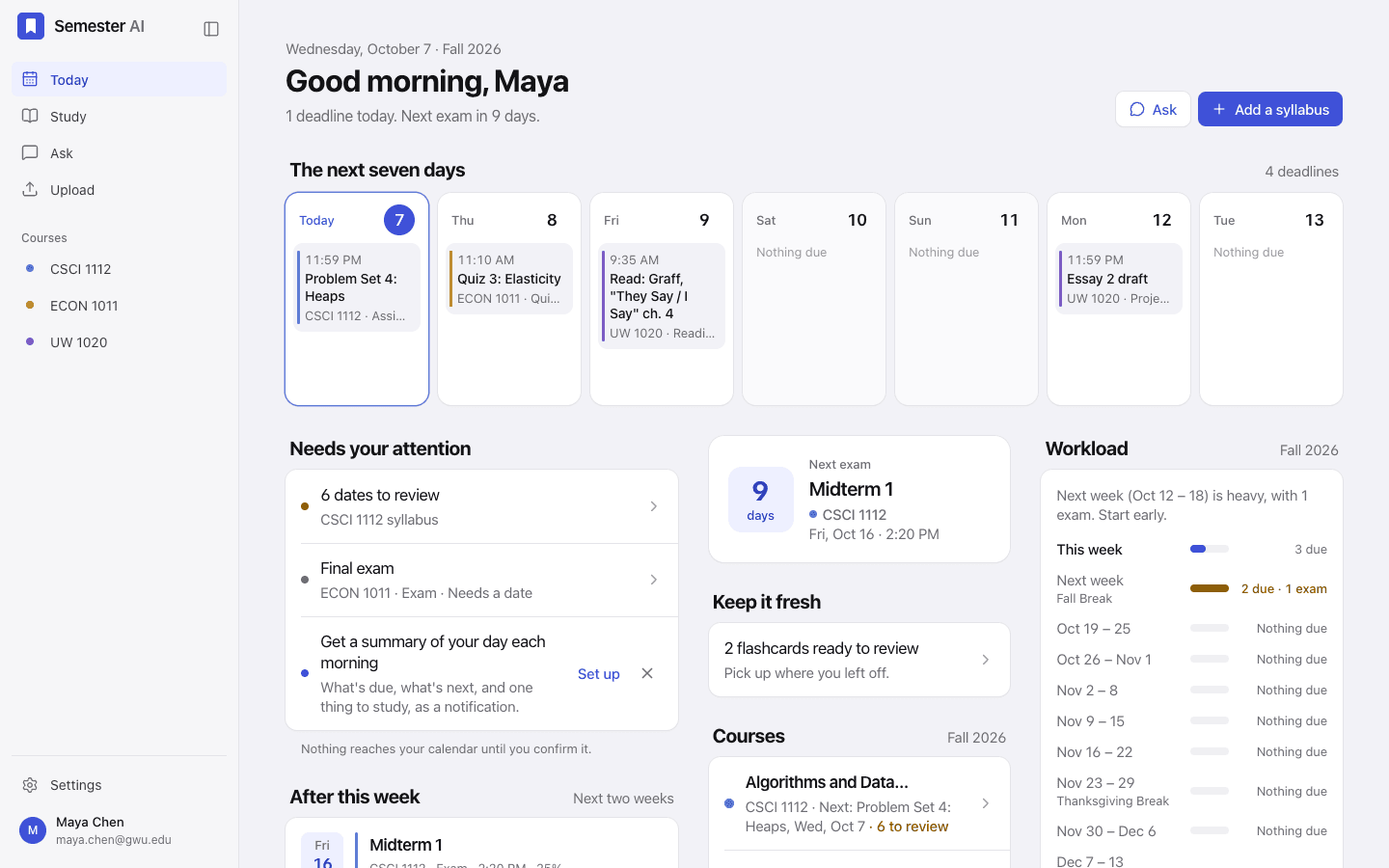
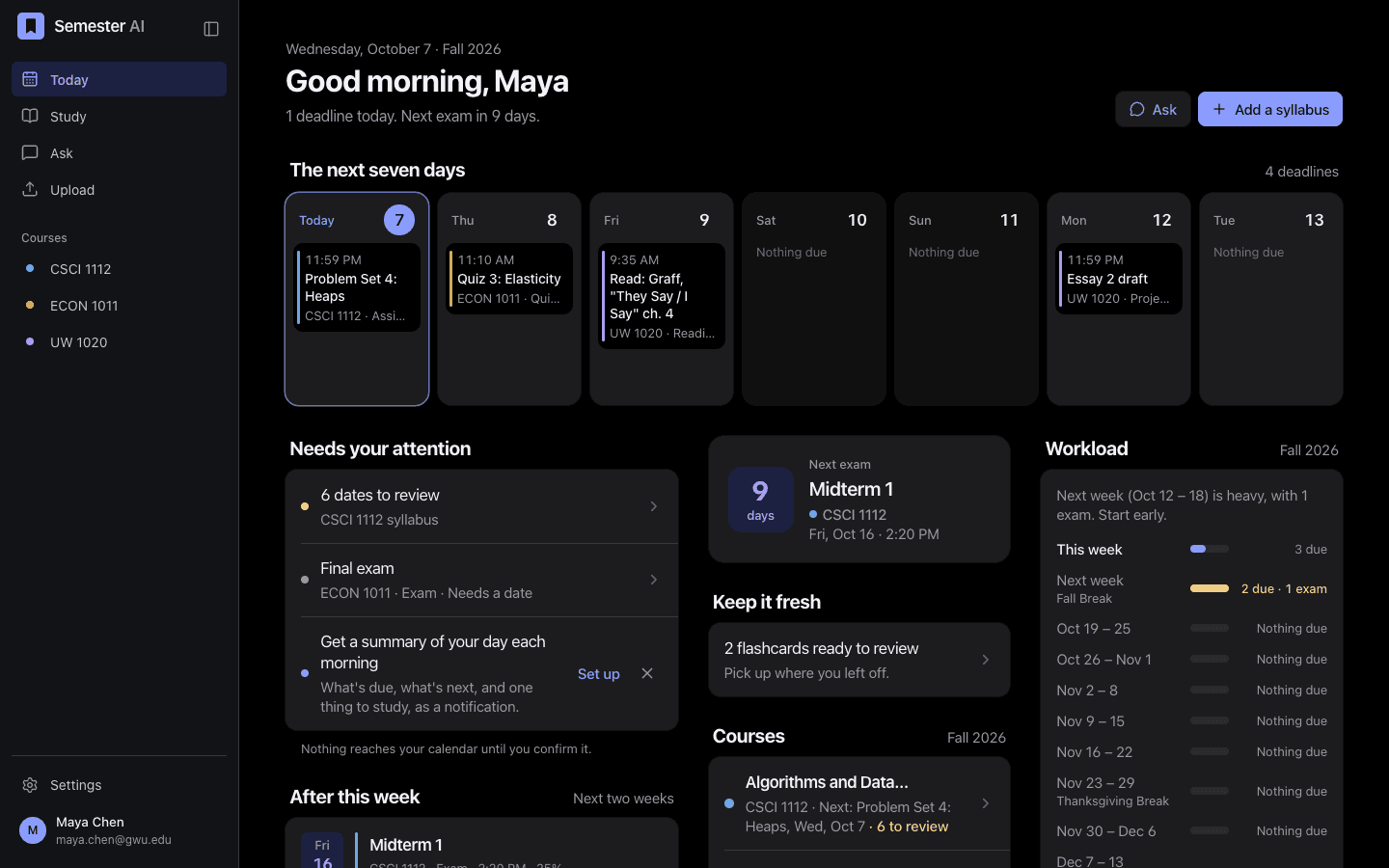
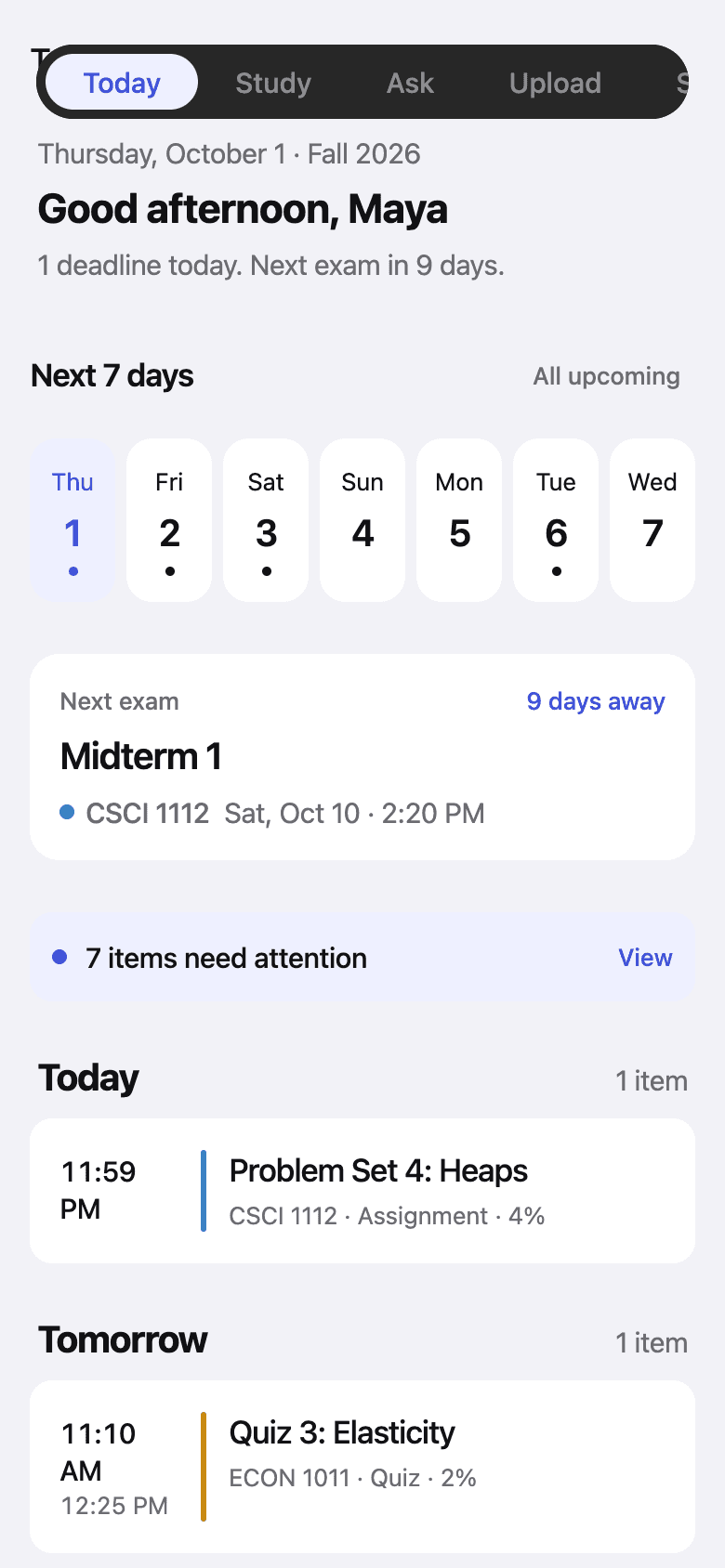
iPhone and web
On your phone between classes. On your laptop for the long haul.
One account, everywhere. Check today’s deadlines and flip through flashcards on your iPhone; upload syllabi, plan for exams, and study on your laptop.
Privacy
Your coursework stays yours.
Your notes, slides, and homework are for your eyes and your study sessions. The only thing that goes to your calendar is the dates you confirm.
Read the privacy policy- Private by defaultYour notes, slides, and homework are visible only to you. They’re never shown to other students.
- Nothing changes without youDates read from a syllabus wait for your review. The assistant drafts calendar changes; you confirm them.
- Your calendar link is yoursThe subscription link is private, and you can reset it any time to cut off old copies.
Questions
Good to know before you start.
Is it free?
Yes, while Sylarri is in beta. Sign in with your school email to start; there’s no password to make.
What kinds of syllabi can it read?
PDFs, Word files, and photos, including a schedule that lives in a separate file. Relative dates like “Week 5 Wednesday” are worked out from your school’s academic calendar, and quizzes and exams without a time take your class time.
What if it gets a date wrong?
Nothing reaches your calendar until you confirm it. Each date sits beside the sentence it came from, anything uncertain is flagged, and you can edit any date before or after you confirm it.
Which calendars does it work with?
Apple Calendar, Google Calendar, and Outlook, through one private subscription link. When a date changes in Sylarri, your calendar follows.
Will it do my homework for me?
No. Tutor mode works through problems with you, hints first, and checks your reasoning, but it won’t write answers you could hand in.
Who can see my files?
Only you. Your notes, slides, and homework stay private to your account, and you can delete your account and everything in it from Settings.
Is there an iPhone app?
It’s on the way. Until then, the web app works on your phone too: open it in Safari and add it to your Home Screen.
Which schools does it support?
We’re starting with George Washington University, whose academic calendar is built in, so breaks and reading days are handled for you.
Start the semester with everything in one place.
Free during the beta. Your first syllabus takes about a minute.